Help CenterManaging Properties
Creating Your First Property
How properties work, and how to add more than one.
Your first property is created automatically when you sign up — you're dropped straight into its dashboard.
Adding another property
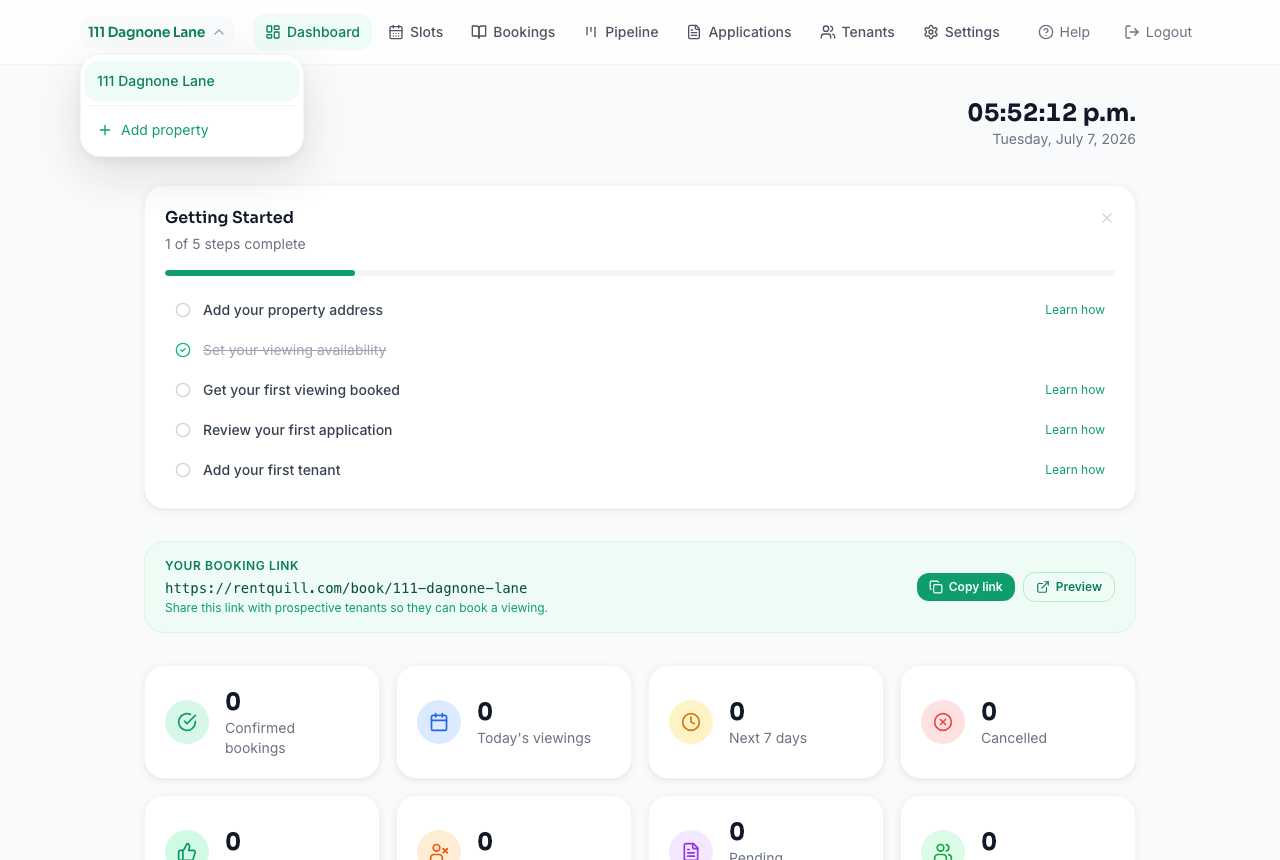
- Click the property name at the top-left of any dashboard page to open the property switcher.
- Choose Add property.
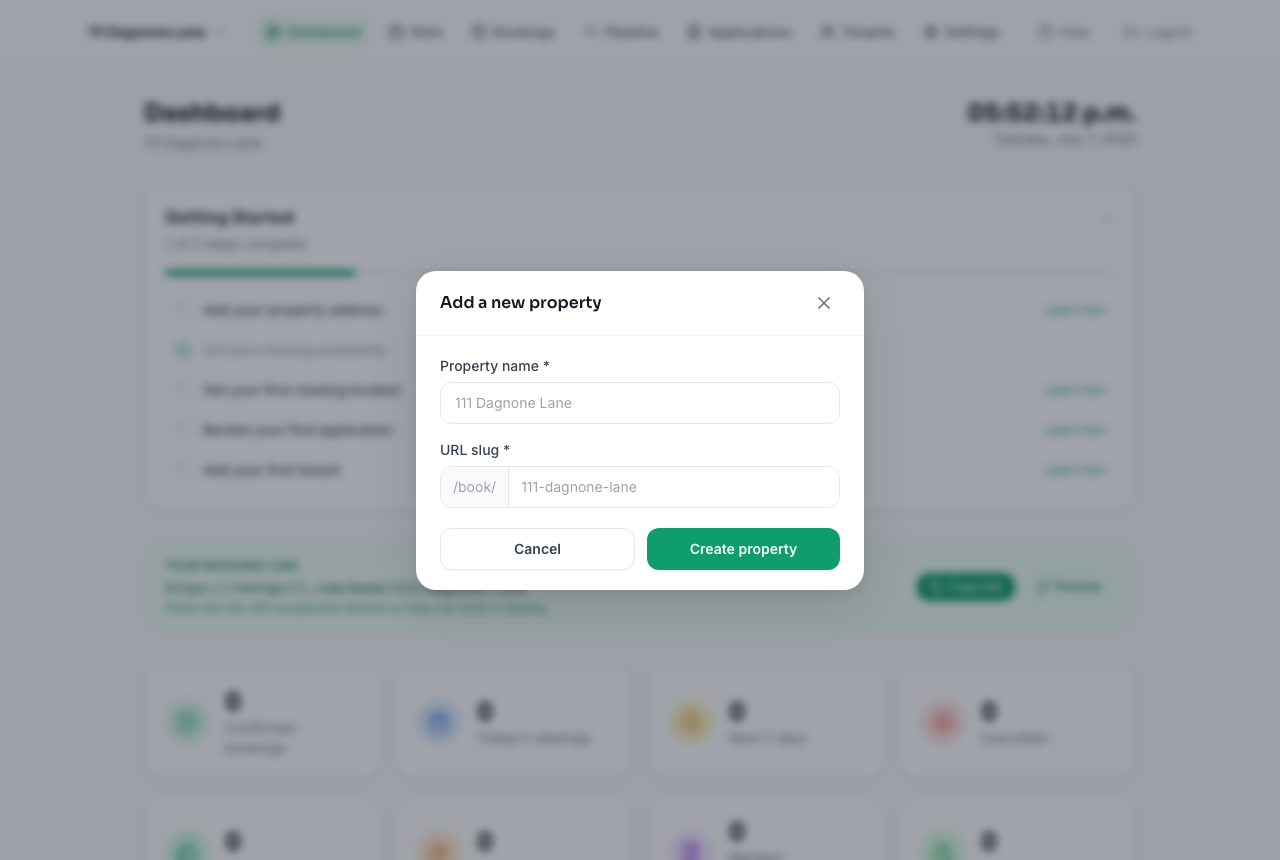
- Give it a name and a URL slug (this becomes part of its public booking link, e.g. `/book/your-slug`).
Each property is fully independent: its own booking slots, bookings, applications, tenants, and settings. Switching between them is instant via the same property switcher.
Removing a property
Open Settings → Danger Zone on the property you want to remove. This permanently deletes that property's bookings, slots, applications, tenants, and settings, so only do this for a property you're certain you no longer need.